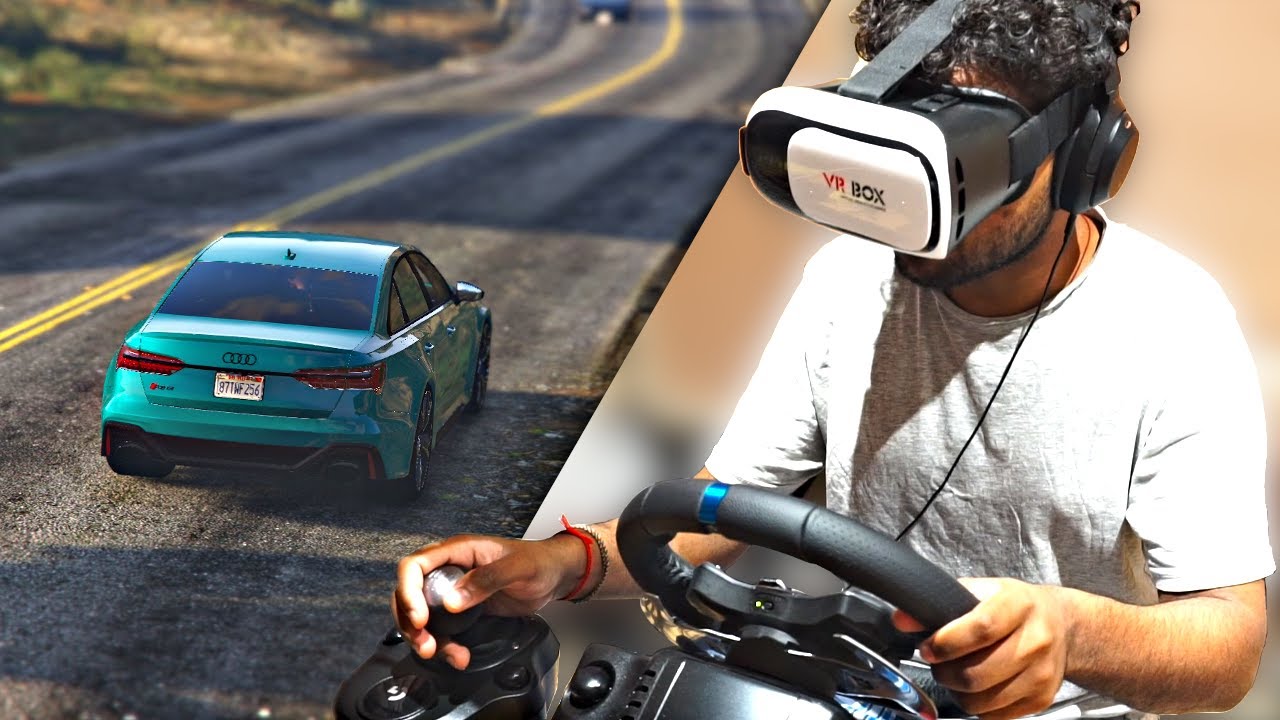
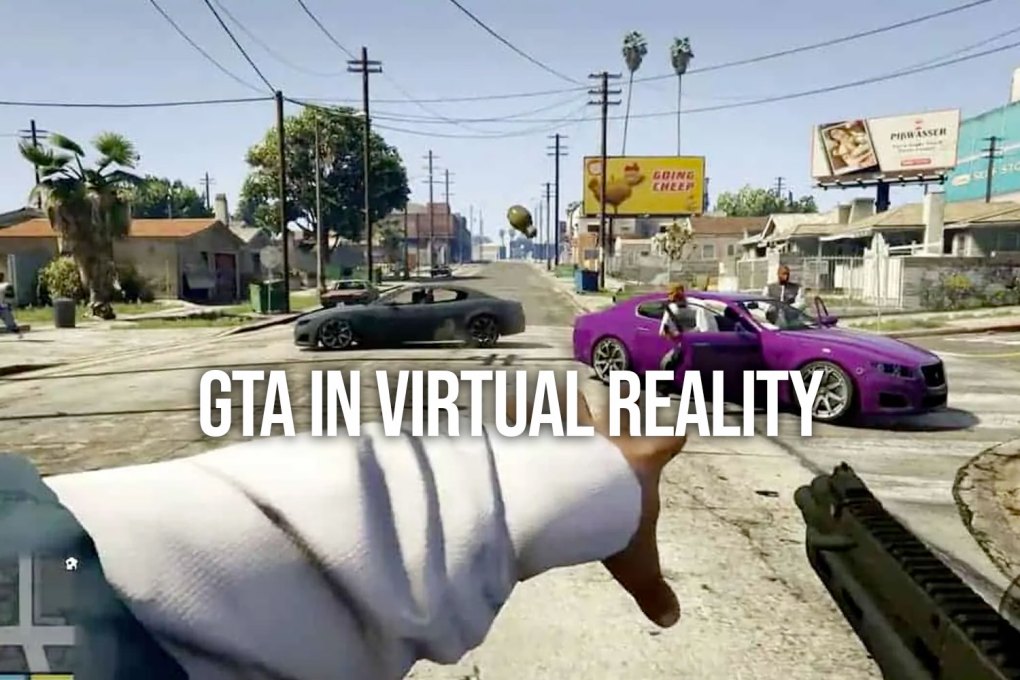
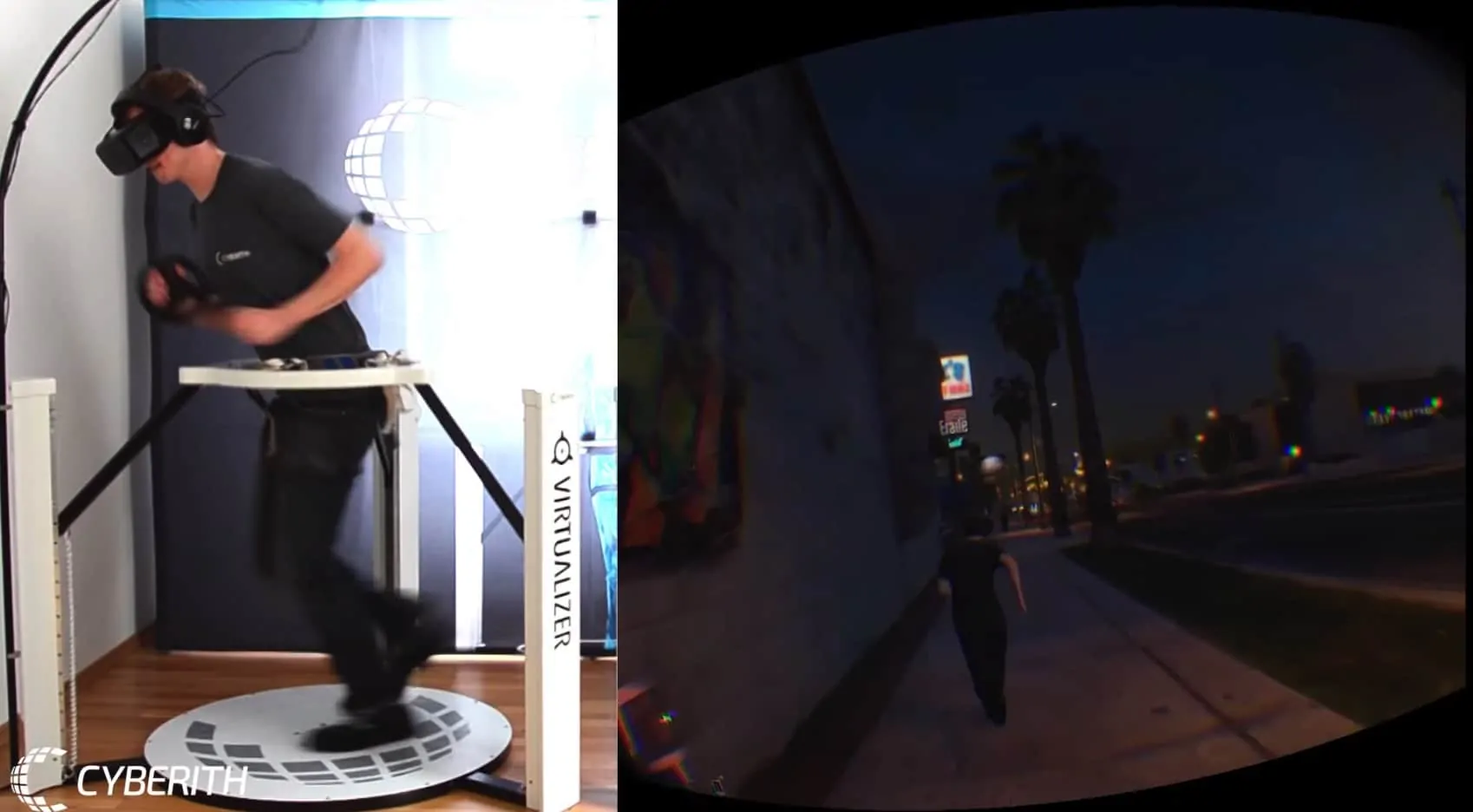
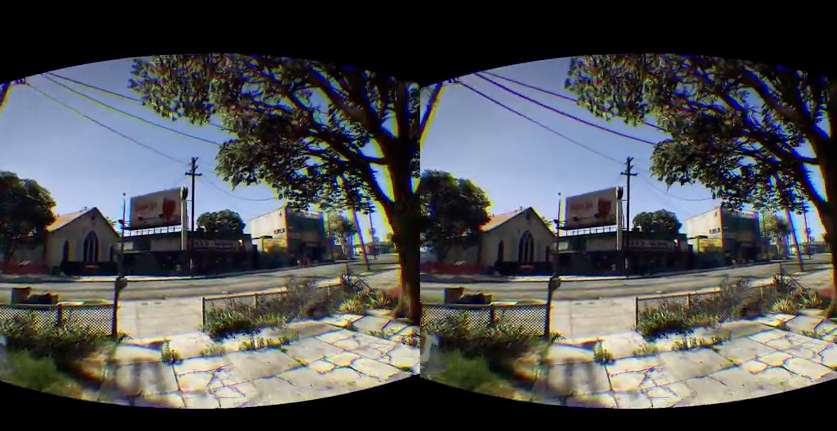
Ever dreamt of cruising through Los Santos with unprecedented immersion? GTA V Virtual Reality is no longer a distant fantasy for PC gamers balancing work and play. This trending guide dives deep into transforming your Grand Theft Auto V experience, covering everything from essential VR mods like Luke Ross R E A L VR to optimizing performance for that buttery-smooth framerate. We address common setup hurdles, recommend budget-friendly hardware tweaks, and explore how to truly lose yourself in Blaine County and the bustling city without sacrificing precious family time. Discover why countless gamers are revisiting this classic in VR, learning how to overcome technical challenges and enjoy a new perspective on a beloved open world. Get ready to swap your flat screen for a headset and experience GTA V like never before, blending relaxation with cutting-edge immersion. This is your ultimate resource for navigating the exciting world of GTA V VR in 2026.
Related gamesHow do I get GTA V working in VR?
Getting GTA V working in VR involves using a community-developed third-party mod, most notably Luke Ross's R E A L VR. This mod injects virtual reality capabilities into the game, allowing you to experience Los Santos in a first-person perspective. You'll need a powerful PC and a PC VR headset, then follow the mod's specific installation instructions, typically involving downloading files and placing them into your game directory while ensuring you play in offline mode.
What kind of PC do I need for GTA V VR?
For a comfortable GTA V VR experience, you'll need a robust PC. A minimum configuration would be an Intel i7-9700K or AMD Ryzen 7 3700X CPU, 16GB of RAM, and a powerful GPU like an NVIDIA RTX 3070 or AMD RX 6700 XT. For optimal and smooth performance, especially at higher resolutions, an RTX 4070 or better with 32GB RAM is highly recommended, as VR is significantly more demanding than flat-screen gaming.
Is GTA V VR officially supported?
No, GTA V VR is not officially supported by Rockstar Games. The virtual reality experience is entirely driven by community-created mods, such as the Luke Ross R E A L VR mod. While these mods offer an incredible level of immersion, they are unofficial and require specific setup and troubleshooting from the user's end. Always remember to play in offline mode when using mods to avoid any issues with Rockstar's online services.
Can I play GTA Online in VR?
No, you cannot play GTA Online in VR. The existing virtual reality mods for Grand Theft Auto V are strictly for the single-player story mode. Attempting to use any third-party modifications, including VR mods, in GTA Online will almost certainly result in a ban from Rockstar Games' online services. It's crucial to always ensure your game is in offline mode when activating and playing with any VR mod to protect your account.
Is it hard to set up the GTA V VR mod?
Setting up the GTA V VR mod, particularly the Luke Ross R E A L VR mod, can be challenging for beginners but is manageable with clear instructions. It involves purchasing access to the mod, downloading files, correctly placing them in your GTA V directory, and configuring your VR software (e.g., SteamVR or Oculus PC). While not plug-and-play, detailed guides are available, making it achievable for most dedicated gamers willing to follow steps carefully.
Q: What is the best VR headset for GTA V Virtual Reality in 2026?
A: For the ultimate GTA V VR experience in 2026, PC VR headsets like the Valve Index, Meta Quest 3 (with Link cable or Air Link), or the HP Reverb G2 offer excellent visual fidelity and tracking. The choice often comes down to budget, comfort, and your PC's power. The Quest 3 provides great value and versatility for busy gamers, allowing both standalone and PC VR play, making it a popular choice.
Q: How does the Luke Ross R E A L VR mod for GTA V work?
A: The Luke Ross R E A L VR mod for GTA V, a third-party modification, injects VR capabilities into the game by altering its rendering pipeline. It essentially creates a stereoscopic 3D image and tracks your head movements, translating them into in-game camera control. This allows for a true first-person VR perspective, making you feel truly present in Los Santos, even though the game was never designed for it.
Q: What are the essential PC specs for a smooth GTA V VR experience?
A: To enjoy GTA V in VR without constant stuttering, you'll need a robust PC. A minimum of an Intel i7-9700K or AMD Ryzen 7 3700X CPU, 16GB of RAM, and a powerful GPU like an NVIDIA RTX 3070 or AMD RX 6700 XT is recommended. For truly smooth performance, especially at higher resolutions, an RTX 4070 or better is ideal. Remember, VR is more demanding than traditional flat-screen gaming.
Q: Can I play GTA Online with the Virtual Reality mod?
A: Unfortunately, no. The Luke Ross R E A L VR mod is designed for Grand Theft Auto V's single-player story mode only. Attempting to use any third-party modifications, including VR mods, in GTA Online will almost certainly result in a ban from Rockstar Games' online services. It's crucial to ensure your game is in offline mode when using the VR mod to avoid any account penalties.
Q: What common performance issues might I encounter with GTA V VR and how can I fix them?
A: Common issues include stuttering, low frame rates, and occasional crashes. To mitigate these, ensure your VR software (SteamVR, Oculus PC) is updated, graphics drivers are current, and GTA V settings are optimized. Reduce in-game shadows, reflections, and grass quality. Experiment with VR headset resolution settings. Close background applications and consider using performance monitoring tools to identify bottlenecks.
Q: Is GTA V Virtual Reality a good fit for gamers with limited time?
A: Absolutely. For busy gamers, the immersive nature of GTA V VR can offer a quick, potent escape. Even short sessions, like a half-hour joyride or completing a single mission in VR, feel incredibly impactful and refreshing. It transforms a familiar world into a novel experience, providing that relaxation and fun value without requiring a huge time commitment, making it perfect for unwinding after a long day.
Q: What makes GTA V VR still relevant and trending in 2026?
A: In 2026, GTA V VR remains relevant due to its incredible immersion into one of gaming's most iconic open worlds. Gamers are always seeking new ways to experience beloved titles, and the sophisticated mods available provide a depth of presence that few other VR titles can match. It taps into the desire for both nostalgia and cutting-edge experiences, offering a unique blend that keeps it a trending topic in the VR community.
Hey fellow gamers! Ever find yourself scrolling through gaming news after a long day, wishing you had more time to dive deep into a truly immersive experience? We get it. Balancing work, family, and that sweet, sweet gaming relaxation is a constant challenge. But what if we told you one of your all-time favorite open-world titles, Grand Theft Auto V, could offer a fresh, breathtaking escape, turning those limited gaming hours into something truly extraordinary? We're talking about GTA V Virtual Reality, and in 2026, it's more accessible and impressive than ever, even if it's not officially supported.
For many of us, gaming isn't just a hobby; it's a vital way to unwind, connect with friends, and even build a few skills. With 87% of US gamers regularly dedicating 10+ hours a week to their passion, finding ways to make that time count is crucial. The allure of VR, especially for a game as expansive as GTA V, offers an unparalleled sense of presence and escapism. But the thought of complex setups, performance woes, or expensive hardware upgrades often holds us back. This guide is designed to cut through the hype, address those pain points, and give you the practical, actionable advice you need to experience Los Santos like never before in VR.
We'll cover everything from choosing the right gear to tweaking settings for optimal performance and navigating common issues. Whether you're a seasoned VR enthusiast or just curious about taking your first virtual steps into Blaine County, this article aims to make your GTA V VR journey smooth, enjoyable, and worth every moment of your precious gaming time. Let's make those virtual reality experiments a success!
What Exactly is GTA V Virtual Reality and How Does It Work Unofficially?
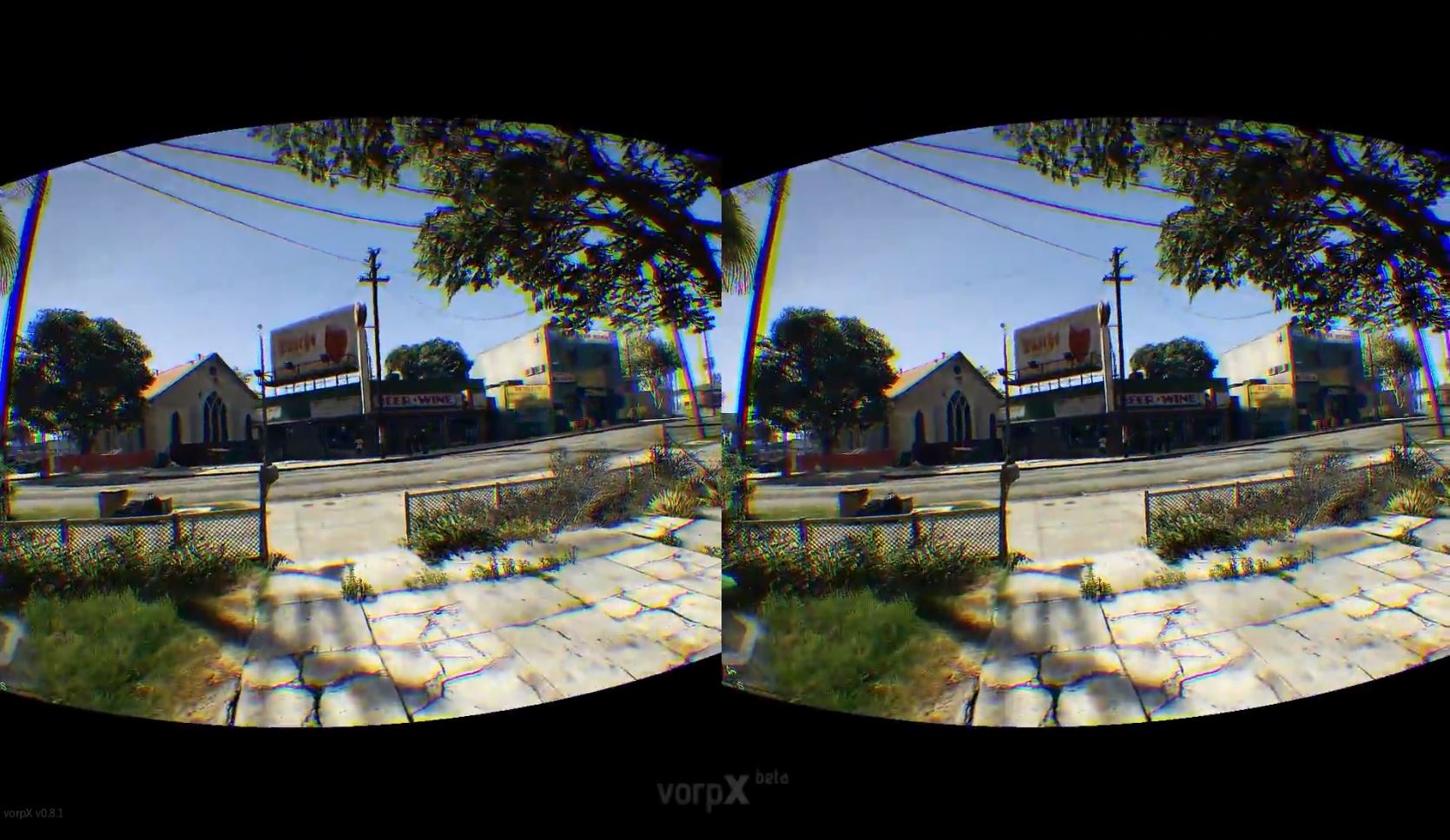
When we talk about GTA V Virtual Reality, it's important to clarify that this isn't an official Rockstar Games release. Instead, it's a phenomenal achievement by the modding community, primarily through the highly acclaimed Luke Ross R E A L VR mod. This third-party modification injects VR capabilities directly into the game's rendering pipeline. Essentially, the mod tricks GTA V into rendering two slightly different images, one for each eye, creating a stereoscopic 3D effect. It then translates your real-world head movements into the game's camera controls, providing a true first-person VR perspective.
The magic lies in the mod's ability to interpret and project GTA V's vast open world onto your VR headset, allowing you to inhabit the game space in a way a flat screen simply cannot replicate. You'll literally be looking around Los Santos, feeling the scale of the city, and experiencing chases and missions with an unprecedented sense of immersion. While unofficial, the R E A L VR mod is a testament to the community's ingenuity and provides a high-quality, deeply engaging experience that many compare favorably to officially supported VR titles.
Which VR Headset is Best for GTA V VR in 2026 and Why?
Choosing the best VR headset for GTA V VR in 2026 largely depends on your budget, PC specifications, and personal preferences for comfort and visual fidelity. For the ultimate experience, a PC VR headset is a must, as these leverage your computer's power for superior graphics and smoother framerates.
Meta Quest 3: This is a popular and versatile choice for many gamers today. Its standalone capabilities are great for mobile gaming trends, but when connected to a PC via a Link cable or Air Link, it transforms into a powerful PC VR headset. The Quest 3 offers excellent resolution, a wide field of view, and a comfortable design, making it a fantastic value for gamers who appreciate flexibility and don't want to break the bank on a dedicated PC VR system.
Valve Index: Still a top-tier contender for enthusiasts, the Valve Index boasts superb controllers, excellent audio, and a high refresh rate for an incredibly smooth and immersive experience. If you prioritize tracking precision and premium features and have the budget, the Index delivers a fantastic ride through Los Santos.
HP Reverb G2: Known for its exceptional visual clarity, the HP Reverb G2 is a strong option for those who value sharp graphics above all else. Its high-resolution panels make the details of Los Santos pop, though its field of view and controller tracking might not be as robust as the Index.
For the average gamer aged 36, balancing gaming with life means value for money is key. The Meta Quest 3 strikes an impressive balance, offering a high-quality VR experience without the premium price tag of some dedicated PC VR systems, aligning perfectly with budget-conscious hardware upgrades.
How Do I Set Up GTA V VR with the Luke Ross R E A L VR Mod?
Setting up GTA V VR involves a few crucial steps. While it might seem daunting at first, think of it as a rewarding mini-project to unlock a whole new dimension of gameplay. Here's a simplified guide:
Purchase & Download the Mod: The Luke Ross R E A L VR mod is typically supported via his Patreon. You'll need to subscribe to gain access to the latest version.
Prepare GTA V: Ensure your Grand Theft Auto V game is fully updated and, critically, launch it in offline mode before installing or playing with the mod. Using mods online can lead to a ban from Rockstar, a pain point we definitely want to avoid.
Install the Mod: Follow Luke Ross's specific instructions for installation, which usually involve extracting the mod files into your GTA V game directory. It's often a simple drag-and-drop process, but always double-check the included readme for any unique steps.
Configure Your VR Software: Launch your preferred VR platform (e.g., SteamVR for Valve Index or HP Reverb G2, or Oculus PC App for Meta Quest headsets). Make sure your headset is properly connected and recognized.
Launch GTA V: Once everything is set, launch GTA V. The mod should automatically detect your VR headset and start rendering the game in stereoscopic 3D. You might need to make some initial adjustments within the mod's settings menu, which often appears on your desktop mirror screen.
Always back up your game files before installing any mods. This is a golden rule for PC gaming, preventing potential headaches and saving you time if something goes awry.
What PC Specifications Do I Need for a Smooth GTA V VR Experience?
This is where many gamers hit a wall. GTA V VR is incredibly demanding, pushing even high-end systems. You're essentially running a graphics-intensive game twice (once for each eye) at a high refresh rate, which means your hardware needs to be robust.
CPU: An Intel i7-9700K or AMD Ryzen 7 3700X is a good starting point. For truly smooth, high-fidelity experiences, newer generations like an Intel i7-12700K/13700K or AMD Ryzen 7 5800X3D/7700X are highly recommended. A strong CPU is crucial for handling GTA V's open-world physics and AI.
GPU: This is your most critical component. An NVIDIA RTX 3070 or AMD RX 6700 XT should be considered a bare minimum for a playable experience, likely with compromises on settings. For comfortable and visually impressive gameplay, an RTX 3080, RX 6800 XT, or ideally, a current-gen card like an RTX 4070 or 4080 is what you'll want. As of this month, GPU prices remain competitive, making mid-to-high-tier cards more accessible than in previous years.
RAM: 16GB is the absolute minimum, but 32GB of DDR4 or DDR5 RAM is strongly advised to prevent stuttering, especially if you have other applications running in the background. Modern gaming, particularly VR, benefits immensely from more memory.
Storage: An SSD (Solid State Drive) is non-negotiable. GTA V loads numerous assets quickly, and an SSD drastically reduces loading times, preventing texture pop-in and overall improving responsiveness. An NVMe SSD is even better.
Remember, many gamers average 10+ hours a week. Investing in capable hardware ensures those hours are spent enjoying the game, not troubleshooting performance problems.
How Can I Optimize GTA V VR Performance for Better Framerates?
Getting a smooth framerate in GTA V VR is often a delicate balancing act. Even with a powerful PC, you'll likely need to tweak settings to find your sweet spot between visual quality and performance. Here are key strategies:
In-Game Graphics Settings:
Lower Resolution Scaling: This is a powerful knob. In the GTA V graphics settings (accessible on your desktop monitor), reduce the 'Resolution Scale' or 'Screen Type' if available. This renders the game at a lower internal resolution then upscales it, saving significant GPU power.
Reduce Shadows & Reflections: These are notorious performance killers in GTA V. Dropping them to 'Normal' or 'High' instead of 'Ultra' can yield huge gains. Consider turning off 'Long Shadows' and 'High Resolution Shadows'.
Grass Quality: Set to 'Normal' or 'High'. Ultra grass can significantly impact framerates, especially in Blaine County.
Post FX: Lower 'Post FX' quality, which affects things like bloom and depth of field. These add visual flair but can be heavy in VR.
Texture Quality: Keep this as high as your VRAM allows (usually 'Very High' or 'Ultra' on modern GPUs) as it largely affects visual fidelity without huge performance costs once loaded.
Anisotropic Filtering: Set to x8 or x16, this has a minimal performance impact for a noticeable visual improvement.
VR Headset Software Settings:
Render Resolution/Supersampling: Most VR platforms (SteamVR, Oculus PC) allow you to adjust the render resolution. Start at 100% or slightly below, and only increase if your framerate is stable. Lowering this can be a lifesaver.
Refresh Rate: If your headset supports it, try a lower refresh rate (e.g., 90Hz instead of 120Hz). A stable 90 FPS is better than an unstable 120 FPS.
System-Level Optimizations:
Update Drivers: Always keep your graphics card drivers (NVIDIA GeForce Game Ready, AMD Radeon Software) up to date. Manufacturers frequently release VR-specific optimizations.
Close Background Apps: Close any unnecessary applications, web browsers, or streaming software. Every bit of CPU and RAM helps.
Power Plan: Ensure your Windows power plan is set to 'High Performance'.
Trial and error is key. Make small adjustments, test, and then repeat until you find the perfect balance that provides comfort and immersion.
Are There Any Common Issues or Troubleshooting Tips for GTA V VR?
While the GTA V VR experience is incredible, it's not without its quirks. As a community-driven mod, you might encounter some common pain points:
Stuttering or Lag: This is usually a performance issue. Refer to the optimization tips above. Also, ensure your VR headset's tracking is solid and there are no reflective surfaces interfering with its sensors.
Crashes to Desktop: Game crashes can be caused by conflicting mods, outdated drivers, or pushing your system too hard. Try a clean install of the VR mod, verify your game files through Steam/Rockstar Launcher, and ensure all drivers are updated. Reduce settings to see if stability improves.
Motion Sickness: In GTA V VR, high-speed vehicle sections can induce motion sickness for some. Try these tips:
Start with short play sessions.
Use comfort settings if the mod provides them (e.g., vignetting, snap turning).
Ensure a high, stable framerate. Choppy framerates exacerbate motion sickness.
Have a fan blowing on you to help with spatial awareness.
Chew ginger gum or try anti-nausea remedies.
Mod Incompatibility: The Luke Ross R E A L VR mod might not play well with other GTA V mods. If you encounter issues, try running GTA V with only the VR mod installed first to rule out conflicts.
Controller Issues: Ensure your VR controllers are fully charged and properly paired. Some actions might be mapped differently than expected; consult the mod's documentation for default bindings.
Remember, the gaming community is vast and helpful. Forums and Discord servers dedicated to GTA V VR are excellent resources for specific troubleshooting.
Is GTA V VR Worth Playing for Busy Gamers in 2026?
Absolutely, yes! For the average gamer who balances gaming with a job, family, and life, GTA V VR offers a unique and highly rewarding experience. Here's why it's a fantastic option in 2026:
Unparalleled Immersion: Even if you've played GTA V countless times, experiencing Los Santos in VR is like seeing it for the first time. The scale, the details, the sheer presence is breathtaking. It's a fresh take on a beloved classic, offering that sense of wonder and escape many of us crave.
Potent Stress Relief: For many adults, gaming is a form of relaxation. VR takes this to another level, providing a complete mental break from daily stressors. Cruising down the highway at sunset or exploring the detailed interiors in first-person VR can be incredibly therapeutic and fun.
Value for Money (Replayability): You've already invested in GTA V. The VR mod breathes new life into it, effectively giving you a brand-new experience without having to buy a new game. This aligns perfectly with the value-for-money mindset of busy gamers.
Short, Impactful Sessions: You don't need hours to enjoy GTA V VR. A quick 30-minute session of free-roaming, tackling a side mission, or just experiencing a high-speed chase feels incredibly impactful and engaging. It's perfect for fitting into those small pockets of free time.
As social gaming trends continue to evolve, and with 60% of US gamers being active, finding unique ways to engage with established titles keeps the hobby exciting and relevant.
How Does GTA V VR Compare to Other Popular VR Open-World Games?
While GTA V VR offers an incredible experience, it's important to frame it within the broader landscape of VR open-world games. Games like Half-Life: Alyx are built from the ground up for VR, boasting unparalleled hand interaction, physics, and optimized performance. Titles like Fallout 4 VR or Skyrim VR are official ports, offering immense worlds but often with compromises in native VR interaction and sometimes requiring significant modding to reach their full potential.
GTA V VR, being a community-made mod, sits in a unique space. It offers a level of open-world fidelity and detail that few native VR titles can match due to the sheer budget and scope of the original game. What it lacks in native VR mechanics (like grabbing every object), it makes up for in scale, narrative depth, and the sheer thrill of inhabiting Los Santos. It's a different flavor of VR immersion, focusing more on presence and scale than intricate hand interactions. For gamers who appreciate the vastness of an open world, it's a must-try.
Can I Play GTA Online in Virtual Reality with the Mod?
No, and this is a critical point: **you cannot play GTA Online with the Luke Ross R E A L VR mod.** Attempting to use any third-party modifications, including VR mods, in GTA Online will almost certainly trigger Rockstar Games' anti-cheat system, leading to a permanent ban from their online services. To protect your account, always ensure that your game is running in offline mode when using the VR mod for the single-player story. The mod is designed exclusively for the single-player campaign, offering a safe and immersive way to experience Franklin, Michael, and Trevor's adventures.
What Are the Best Settings for Visual Quality vs. Performance in GTA V VR?
Achieving the perfect balance between stunning visuals and smooth performance in GTA V VR is the holy grail. Here's a balanced approach:
Prioritize Framerate First: A stable, high framerate (e.g., 90 FPS) is paramount for comfort and immersion in VR. If your framerate dips, reduce settings.
High Texture Quality: 'Very High' or 'Ultra' textures have a relatively low performance impact once loaded and greatly enhance visual fidelity. Keep this high if your VRAM allows.
Anisotropic Filtering (x16): Almost no performance cost, significant visual improvement for distant textures.
Shadows & Reflections (Medium/High): These are major performance culprits. Set them to 'High' and disable 'Long Shadows' and 'High Resolution Shadows' for a good balance.
Grass Quality (High): 'Ultra' is often too demanding. 'High' provides lush environments without crippling performance.
Population Density/Variety (Medium/High): These affect the number of NPCs and vehicles. Adjust downwards if your CPU is struggling, as they impact CPU rather than GPU.
Distance Scaling (Adjust as needed): This determines how far objects are rendered. You'll want this high for immersion, but if performance suffers, reduce it gradually.
VR Headset Render Resolution (100-120%): Start at 100% and cautiously increase it if you have headroom. Pushing this too high is the quickest way to kill performance.
Experimentation is key. Start with conservative settings and slowly increase them until you find the perfect blend for your specific hardware. The goal is consistent, comfortable immersion, not necessarily maxed-out graphics at all costs.
The world of GTA V Virtual Reality offers a truly transformative gaming experience for those willing to dive in. It’s a testament to the enduring appeal of Grand Theft Auto V and the incredible ingenuity of the modding community. By understanding the hardware requirements, mastering the setup process, and tweaking your settings, you can unlock a level of immersion that redefines Los Santos. For busy gamers, it provides that powerful, engaging escape we all need, transforming limited playtime into unforgettable adventures. It’s a perfect blend of nostalgia and cutting-edge experimentation, proving that some classics only get better with new perspectives.
What’s your biggest gaming challenge when it comes to trying new tech or revisiting old favorites? Comment below! We’d love to hear your experiences and help you find solutions.
FAQ Section
Q: What are the absolute minimum PC specs for GTA V VR?
A: The absolute minimum would be an Intel i5-9600K or AMD Ryzen 5 3600, 16GB RAM, and an NVIDIA RTX 2070 or AMD RX 5700 XT. However, expect to run on lower settings and potentially experience stuttering. Higher specs are strongly recommended for comfort.
Q: Can I use any VR headset for GTA V VR?
A: You need a PC VR headset compatible with SteamVR or Oculus PC. Standalone headsets like the Meta Quest can work when tethered to a PC (e.g., via Oculus Link or Air Link), but mobile VR headsets (like Google Cardboard) are not compatible.
Q: Is there an official VR version of Grand Theft Auto V?
A: No, Grand Theft Auto V does not have an official virtual reality version from Rockstar Games. All existing VR experiences for GTA V are created and maintained by third-party modders.
Q: How do I know if the Luke Ross R E A L VR mod is working correctly?
A: You'll know it's working when GTA V launches directly into your VR headset, presenting a stereoscopic 3D view and responding to your head movements. The desktop monitor will typically show a mirrored, often distorted, view of what's in your headset.
Q: Will playing GTA V in VR cause motion sickness?
A: It can for some, especially during fast vehicle sequences or sudden movements. A high, stable framerate is crucial to minimize motion sickness. Taking breaks, using a fan, and gradually increasing play time can help build your VR legs.
GTA V Virtual Reality offers unparalleled immersion into Los Santos, primarily through community-driven mods like Luke Ross R E A L VR. Players can experience the game in first-person VR, requiring a powerful PC and a capable VR headset. Setup involves installing specific mods and fine-tuning graphics settings for optimal performance and comfort. The experience is highly customizable, allowing gamers to adjust visual fidelity and controls to their preference. While not officially supported, the modded VR version provides a deeply engaging and often breathtaking new way to explore the vast open world of Grand Theft Auto V, transforming familiar missions and free-roam into a fresh adventure.
35#1 Gallery gta v virtual reality
GTA 5 In Virtual Reality So Sieht Grand Theft Auto V Mit Der HTC Vive Aufm . CUNNING STUNTS IN VIRTUAL REALITY GTA 5 Online Oculus Rift CV1 . GTA 5 VIRTUAL REALITY MOD This Is Real YouTube . GTA ONLINE IN VIRTUAL REALITY GTA 5 VR Deathmatch Oculus Rift DK2 . GTA V In Virtual Reality Modded VR Gameplay VOD2 YouTube
#2 Gallery gta v virtual reality
Playing GTA 5 In VR Virtual Reality YouTube . HOW TO SETUP VR FOR GTA 5 IN 2025 META QUEST OCULUS VALVE INDEX HTC . Using Virtual Reality VR On GTA 5 With A STEERING WHEEL Logitech G29 . GTA V So Spielt Sich Die Virtual Reality Mod Zocksession YouTube . Racing In 360 A GTA V Virtual Reality Experience YouTube
#3 Gallery gta v virtual reality
PLAYING GTA 5 IN VIRTUAL REALITY GTA 5 VR YouTube . GTA 5 Online In Virtual Reality Oculus Rift DK2 Gameplay YouTube . Grand Theft Auto V Virtual Reality Review Vorpx Flawless Widescreen . GTA 5 VIRTUAL REALITY GAMEPLAY YouTube . GTA 5 IN VIRTUAL REALITY GTA 5 Oculus Rift YouTube
#4 Gallery gta v virtual reality
Playing GTA V In Virtual Reality GANG V YouTube . GTA 5 VR Mission 35 The Multi Target In Virtual . GTA 5 Real VR Modded 4K Gameplay 5Real Graphics Overhaul With LA Revo . GTA 5 VR Mission 19 Trevor Philips Industries In Virtual . Experience GTA 5 In VIRTUAL REALITY BVRE YouTube
#5 Gallery gta v virtual reality
GTA 5 Enhanced 2026 Ray Tracing Volumetric Clouds . Playing The FIRST Mission In GTA 5 In VR VIRTUAL REALITY YouTube . Virtual Reality VR In GTA 5 And GTA 6 Pimax Store 20231215 144006 . 2026 Grand Theft Auto Universe Wiki Fandom 1200. Gta 6 2025 Or 2026 Grand Theft Auto V Inc Update 4 MedienHome De Grand Theft Auto 8K GTAV Real Scaled
#6 Gallery gta v virtual reality
Realistic GTA V Mod Gets Big New Update For 2026 - December 2025 Update 00 01 03 1024x512 . GTA V Gets Real Virtual Real Screenshot 175 . ALL Upcoming 2026 GTA 5 Online DLC Leaks New Businesses New Cars . GTA V A Virtual Reality Guardian Liberty Voice GTA V Top Easter Eggs Aliens Bigfoot Clowns Jaws And More . Realistic GTA V Mod Gets Big New Update For 2026 - December 2025 Update 00 00 43 768x384
#7 Gallery gta v virtual reality
GTA 5 PC Virtual Reality Mod Puts You In Los Santos With Oculus Rift . Grand Theft Auto V Virtual Reality Gameplay Oculus Rift And Virtuix . Grand Theft Auto V 2026 01 30 13 55 51 04 DVR YouTube . Video GTA 5 Enters Virtual Reality With This Oculus Rift Mod GameSpot 2847984 9358075347 28479 . GTA 5 In VR Echtes 3D Mit Vive Controller Support Let S Play