Gamers know the frustration when Roblox, a platform for millions, suddenly decides it won't open. Whether you're a casual player looking to unwind after a long day at work or a dedicated creator honing your latest experience, technical hiccups can steal precious gaming time. This comprehensive guide dives deep into why Roblox might not be launching on your PC or mobile device. We'll explore common culprits from outdated software and network issues to corrupted game files and conflicting applications, providing clear, actionable solutions for busy adults who want to get back to playing without endless troubleshooting. Learn how to diagnose and resolve these issues efficiently, ensuring your valuable gaming moments are spent enjoying Roblox, not fighting with it. Stay updated on the latest fixes and optimize your experience to reconnect with friends and favorite games seamlessly.
Why isn't Roblox opening on my computer
If Roblox isn't opening, start by checking your internet connection. A common issue for US gamers is a temporarily unstable network. Next, try restarting your PC. If it still doesn't launch, ensure your Roblox application is updated by reinstalling it, and temporarily disable any antivirus or firewall software to see if it's blocking the game client. Many busy adults who game find these simple steps resolve most launch problems quickly, letting them get back to relaxing.
What should I do if Roblox won't load games
When Roblox won't load games but the client opens, it often points to network issues or corrupted game files. First, restart your router and computer to refresh network settings. Clear your Roblox cache by deleting the "Roblox" folder in %localappdata% and temporary internet files. Ensure your graphics drivers are up-to-date. If problems persist, a clean reinstallation of Roblox often fixes deep-seated file corruption, allowing you to jump into your favorite experiences without hassle.
How to fix Roblox unexpected error when launching
An "unexpected error" during Roblox launch usually suggests a core client problem or a system conflict. To fix this, perform a clean reinstallation of Roblox by uninstalling it, deleting residual files from the %localappdata% and %temp% folders, and then reinstalling from the official website. Additionally, temporarily disable your antivirus or firewall to rule out interference. This ensures a fresh, uncorrupted installation and often resolves stubborn errors for gamers balancing life and play.
Why is Roblox stuck on the loading screen and not opening
If Roblox is stuck on the loading screen, it's typically a sign of network connectivity issues or a problem with downloading necessary game assets. Ensure your internet connection is stable and try restarting your modem/router. Clear your browser's cache and cookies, and try launching Roblox from a different browser. Also, check for any pending system or graphics driver updates, as these can impact the client's ability to render the loading screen and proceed into the game world.
Is there a Roblox server issue stopping me from opening the game
Yes, sometimes Roblox itself experiences server outages or maintenance, which can prevent the game from opening or connecting. To check for current server status, visit official Roblox status pages or community forums like Twitter. While less common, these global issues affect all players. If Roblox servers are down, your best bet is to wait for the issue to be resolved by the developers, grabbing a coffee or catching up on chores while you wait for the platform to come back online.
How do I check if my computer meets Roblox system requirements
While Roblox is generally accessible, performance issues or launch failures can occur if your computer doesn't meet minimum requirements. For 2026, ensure you have Windows 7 or newer, a processor from 2005 or later (1.6 GHz+), at least 1GB RAM, and a DirectX 9 or 10 compatible graphics card. You can check your system specs via "System Information" on Windows. Upgrading RAM or an older GPU on a budget can significantly improve your experience, allowing you to enjoy more demanding Roblox games without constant frustration.
What should I do if Roblox keeps crashing after opening successfully
If Roblox opens but crashes shortly after, it often indicates an issue with your graphics drivers, system overheating, or severe resource contention. First, update your graphics drivers to the latest version directly from NVIDIA, AMD, or Intel. Ensure your computer has adequate cooling to prevent overheating. Close all unnecessary background applications to free up RAM and CPU. If crashes persist, try lowering in-game graphics settings or performing a clean reinstallation of Roblox to eliminate corrupted files as a cause.
There's nothing quite like settling down after a long day, ready to jump into your favorite Roblox experience, only to be met with a stubborn launch failure. For the average US gamer, around 36 years old, who masterfully balances a demanding job, family life, and finding those precious moments to unwind with games, this isn't just an inconvenience—it's a roadblock to relaxation. You’re part of the 87% of US gamers who play regularly, often clocking 10 or more hours a week, and when a platform as central as Roblox (which boasts incredible social gaming trends, especially on mobile) decides to go on strike, it can feel like a personal affront to your much-needed downtime. This isn't about hype; it's about practical solutions for real-world gaming problems, helping you get back to building skills, socializing with friends, or simply having fun without the tech headache.
This guide cuts through the noise, offering clear, step-by-step solutions for "why isn't Roblox opening" on your system. We understand you value efficiency and want to spend your limited gaming time playing, not troubleshooting. So, let's dive into the most common reasons Roblox might be refusing to launch and how you can fix them quickly and effectively, ensuring you're always ready to explore the vast, creative worlds Roblox has to offer.
Why Isn't Roblox Opening On My PC Or Mobile Device
The core issue of "why isn't Roblox opening" can stem from a variety of sources, ranging from simple software glitches to more complex system conflicts. It's frustrating when you just want to relax and play, especially when balancing gaming with a busy life. Common culprits often include outdated Roblox client versions, corrupted game files, internet connectivity problems, or even interference from third-party applications like antivirus software. On mobile, issues can arise from insufficient storage or outdated operating system versions. Pinpointing the exact cause is the first step toward a quick resolution, so let's explore how to diagnose these common pain points without extensive tech jargon.
What Are The Most Common Reasons For Roblox Not Launching
Roblox not launching is a frequent query among US gamers, and several key issues consistently pop up. First, an outdated Roblox client is a major culprit; the platform constantly updates, and an old version can struggle to connect. Second, internet connectivity problems or a strict firewall can block Roblox from accessing its servers. Third, corrupted game files within the Roblox installation can prevent proper startup. Fourth, system resource limitations or conflicting background applications might hog memory or CPU, stopping Roblox from initializing. Finally, outdated graphics drivers can cause display or launch errors. Identifying which of these applies to your situation is crucial for a targeted fix.
How Can I Quickly Troubleshoot Roblox Startup Problems
When Roblox isn't opening, a quick troubleshooting process can often save you time. Start by performing a full system restart; this clears temporary glitches and refreshes network connections. Next, check your internet connection to ensure stability. Then, try running Roblox as an administrator, which can resolve permission-related issues. Confirm your Roblox client is up to date; if not, a fresh reinstallation often forces an update. Finally, temporarily disable your antivirus or firewall to see if it's blocking Roblox. These initial steps resolve a significant percentage of "why isn't Roblox opening" queries for busy gamers.
Is My Internet Connection Affecting Roblox's Ability To Open
Yes, your internet connection is often a critical factor if Roblox isn't opening. Roblox requires a stable and relatively fast internet connection to download game assets, authenticate your account, and connect to game servers. A weak Wi-Fi signal, an overloaded home network, or even a strict firewall setting can prevent the Roblox client from fully launching. US gamers, especially those relying on mobile data or shared home networks, might experience this more frequently. Ensure your connection is stable, try restarting your router, and check if any firewalls are explicitly blocking Roblox. Sometimes, switching from Wi-Fi to a wired connection (if on PC) can instantly resolve these connectivity-related launch failures.
How Do I Update Roblox And My System To Fix Launch Issues
Keeping Roblox and your system updated is vital. Roblox typically updates automatically, but if it's failing to open, a manual intervention might be needed. The easiest way to ensure an updated Roblox client is to uninstall it completely and then reinstall it from the official Roblox website or app store. For your system, go to Windows Update settings (on PC) or your device's Software Update section (on mobile) and install any pending updates. Importantly, update your graphics drivers: for NVIDIA, AMD, or Intel, visit their official websites, download the latest drivers for your specific card, and install them. Outdated drivers are a common cause of performance and launch issues, especially given that 87% of US gamers regularly play, requiring stable and optimized systems.
Could Antivirus Or Firewall Software Be Preventing Roblox From Opening
Absolutely, antivirus and firewall software are frequent culprits when Roblox isn't opening. These security programs are designed to protect your system, but sometimes they can be overly aggressive and mistakenly flag Roblox as a threat or block its network access. This is a common pain point for many gamers. To check if this is the issue, temporarily disable your antivirus and firewall, then try launching Roblox. If it opens, you've found the problem. You'll then need to add Roblox (specifically the RobloxPlayerBeta.exe file and the Roblox application) to your security software's whitelist or exceptions list. Remember to re-enable your security software after testing or configuring the exceptions to keep your system protected.
What If Roblox Is Corrupted How Do I Reinstall It Properly
If you suspect corrupted Roblox files are "why isn't Roblox opening," a clean reinstallation is your best bet. This ensures all problematic files are removed and replaced with fresh ones. Here's a quick guide:
- Close Roblox: Ensure Roblox and all related processes are completely shut down (check Task Manager on PC).
- Uninstall Roblox: On Windows, go to Settings > Apps > Apps & features, find Roblox, and click "Uninstall." On mobile, long-press the app icon and select "Uninstall" or drag to the trash.
- Clear Residual Files (PC Only): This is crucial.
- Open Run (Win + R) and type
%localappdata%. Delete the "Roblox" folder. - Open Run (Win + R) and type
%temp%. Delete any "Roblox" related files/folders.
- Open Run (Win + R) and type
- Restart Your System: A fresh start ensures no lingering processes.
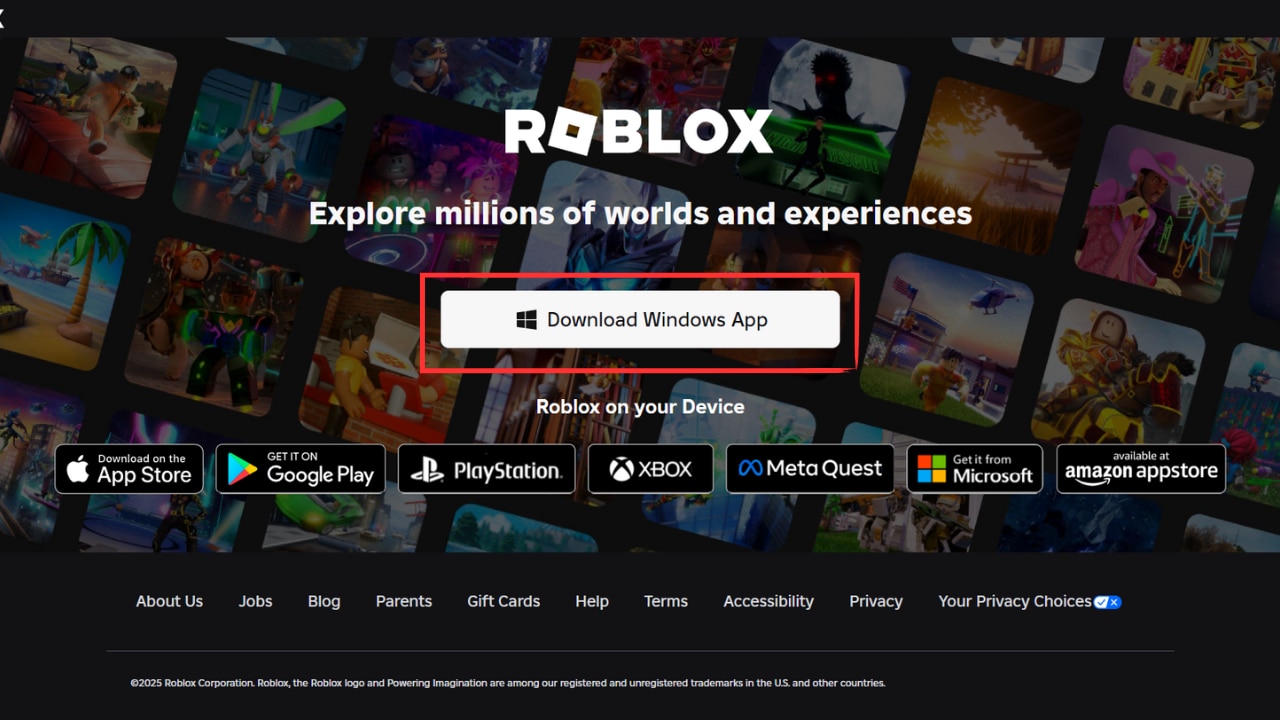
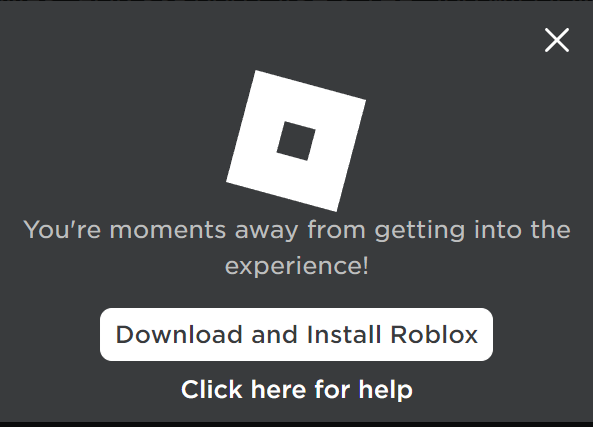
- Reinstall Roblox: Visit the official Roblox website (roblox.com) and log in. Try joining any game, and it will prompt you to download and install the latest client. On mobile, download from your device's app store. This process ensures a clean, updated installation, often resolving persistent launch issues for dedicated gamers.
Are There Any Background Apps Or Processes Interfering With Roblox
Yes, background applications can absolutely interfere with Roblox, causing it to fail opening or perform poorly. Many modern gamers, especially those who balance gaming with work, run numerous apps concurrently (Discord, browsers with many tabs, streaming software, VPNs). Some of these can conflict with Roblox, hog system resources, or even have incompatible overlays. To check:
- Task Manager (PC): Press Ctrl + Shift + Esc. Go to the "Processes" tab. Look for resource-intensive applications you don't need, especially those with overlays (e.g., Discord overlay, GeForce Experience overlay if not used). End task on non-essential apps before launching Roblox.
- Close Mobile Apps: On mobile, swipe up from the bottom (or double-tap home button) to view recent apps and close them all.
- VPNs: If you use a VPN, try disabling it temporarily. Some VPNs can interfere with Roblox's connection.
Getting Roblox to launch smoothly shouldn't be a puzzle you have to solve every time you want to play. By understanding the common reasons "why isn't Roblox opening"—from outdated software and network hiccups to conflicting applications—you can tackle these issues head-on. Whether you're a parent finding a few hours to unwind in a cozy game or a dedicated player building the next big experience, efficient troubleshooting means more time having fun and less time staring at a loading screen. Staying updated, maintaining a clean system, and understanding your network are key to a consistent and enjoyable Roblox experience.
What's your biggest Roblox troubleshooting challenge? Comment below and let's help each other out!
FAQ Section
How do I clear Roblox cache files on my PC
To clear Roblox cache files, press Win + R, type %temp%, and press Enter. In the Temp folder, delete any folders or files related to Roblox. This can resolve various performance and launch issues by removing old, potentially corrupted temporary data that Roblox uses.
Why is Roblox saying there was an unexpected error
An "unexpected error" often indicates a problem with the Roblox client itself, possibly due to corrupted files or a failed update. Try restarting your computer, then perform a clean reinstallation of Roblox. Also, check your internet connection and ensure your security software isn't blocking the application.
Can Parental Controls Stop Roblox From Opening
Yes, parental controls or screen time limits configured on your device or network can prevent Roblox from opening, especially if they restrict certain applications or internet access during specific times. Check your device's family settings or router configurations to ensure Roblox is permitted.
What are the system requirements for Roblox in 2026
While Roblox is generally light, in 2026, for optimal performance and to run newer, more complex experiences, a PC ideally needs Windows 10/11, at least an Intel i3/AMD Ryzen 3 processor, 8GB RAM, and a graphics card like an NVIDIA GTX 1050 or AMD RX 560. Mobile requires recent iOS/Android versions and ample storage.
Why does Roblox crash after opening
Roblox crashing immediately after opening often points to outdated graphics drivers, system resource conflicts, or corrupted core game files. Ensure your graphics drivers are current, close unnecessary background apps, and consider a clean reinstallation to resolve persistent crashing issues.
How often should I clear Roblox cache
It's a good practice to clear your Roblox cache every few weeks or whenever you notice performance dips, slow loading times, or unexpected errors. This helps keep the client running smoothly and frees up disk space, preventing issues before they become major problems for consistent gamers.
Quick fixes for Roblox not opening Diagnosing common Roblox launch issues Step by step troubleshooting guide for Roblox Performance optimization tips for Roblox gamers How to update Roblox and system drivers Essential Roblox maintenance for smooth gameplay Resolving network related Roblox problems
34



Fix Roblox Not Launching On PC Laptop 2025 Roblox Not Opening YouTube . How To Fix Roblox Not Opening Or Launching In Windows 11 YouTube . ROBLOX IN 2026 YouTube Hqdefault . Roblox Wont Start Heres What To Do Why Roblox Wont Open . How To Message On Roblox 2026 A Quick Guide SL1500




What Is Garhorse Roblox And Why Is It Popular In 2026 Updated Roblox. Roblox 2026 New Logo REVEAL First Look At The Future Shorts YouTube Hq2 . A Roblox Movie 2026 Teaser Trailer YouTube . Roblox 2026 Logo REVEALED New Color New Look YouTube Maxres2 . How To Update Roblox In 2026 Fix Error Code 280 On PC Mobile Xbox Roblox Update It.webp



How To Fix Roblox Not Opening In Microsoft Store WORKING 2025 YouTube . Is Roblox Down Right Now Issues Roblox Not. How To Publish A Game On Roblox In 2026 Roblox YouTube . Why Is Roblox Not Working June 2026 24 Fixes That Actually Work Why Is Roblox Not Working 2025 24 Fixes That Actually Work . Why Is My Roblox Not Opening 8 Proven Methods Roblox Not Working On Pc 1


Roblox Annual 2026 327999 Roblox Annual Back . How To Fix Roblox Not Opening On Microsoft Store YouTube . How To Fix Roblox When It S Not Opening Crashing Or Loading How To Fix Roblox When Its Not Opening Crashing Or Loading . How To FIX Roblox Not Opening In Microsoft Store YouTube . How To Fix Roblox Not Opening On Microsoft Store YouTube


Why Is Microsoft Roblox Not Working Solutions For 2026 Roblox . Why Is My Roblox Not Opening 8 Proven Methods Roblox Not Working On Pc 17 . Why Is Roblox Not Connecting To The Internet Dibujos Cute Para Imprimir . How To Fix Roblox Not Launching 2023 Easy Fix YouTube . Why Is Roblox Not Opening On My PC H Ng D N Kh C Ph C L I Chi Ti T



Why Is Roblox Not Opening On My PC H Ng D N Kh C Ph C L I Chi Ti T . How To Fix Roblox Studio Not Opening 2026 Full Guide YouTube . Roblox Troubles Lets Get You Playing . Why Isnt Roblox Opening YouTube . How To Fix Roblox Not Launching Opening In Roblox 2025 Tutorial YouTube


Roblox Not Working Here S Why And How To Fix It How To Resolve Roblox Not Opening . Co Si Zmieni O W Roblox W 2026 Roku Przewodnik Dla Rodzic W Post 155295 Pl . Roblox In 2026 Play On Roblox NoFilter. Roblox 2026 NEW LOOK The Biggest Update Ever YouTube Maxres2